Collect every wedding photo your guests take - in one shared album
From haldi to reception, guests scan one QR code and upload candid photos straight from their phone's browser. No app to install, no account for them to create, and nothing lost in a scrolling WhatsApp chat.
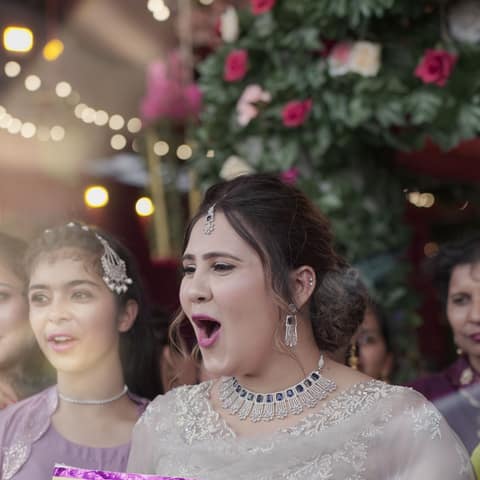
Why a WhatsApp group falls apart at a wedding
An Indian wedding can run guests into the hundreds, across several functions over several days. Asking everyone to forward their photos into one WhatsApp group means compressed, lower-quality images, buried between messages, with forwards capped and no real way to browse them as a gallery afterward.
GuestCam gives every guest a direct upload link instead - via one QR code they scan with their own phone camera - and keeps every photo in one organized, shared gallery, separate from any chat.
How it works for a wedding
Create the event
Add the couple's names (or the function - haldi, mehendi, sangeet, wedding, reception), a date, and a cover photo. Takes under a minute, no guest list upload required.
Print or display the QR code
Put it on the welcome board, table cards, the invitation, or a standee near the entrance. Anyone who scans it opens the album straight in their phone's browser - no app to install.
Guests upload as they go
From the haldi to the reception, every guest's candid shots land in one shared gallery - visible to the couple in real time, not buried in a day-old WhatsApp chat.
Download before hosted access ends
The couple (or whoever set up the event) downloads the full album before the plan's hosted-access window ends - GuestCam is for collecting photos, not permanent storage.
Pricing for your wedding
Priced per event, not a recurring subscription - pay once for the wedding, not every month.
Free
₹0
- 30 guests
- 30 photos
- 3-day hosted access
Standard
₹1,499
- 100 guests
- 200 photos
- 3 months hosted access
- HD photo downloads
Premium
₹4,999
- 500 guests
- 1,000 photos
- Short video clips
- 6 months hosted access
- HD photo downloads
Every wedding starts on the Free plan - upgrade from the event's manage page once you know how many guests and functions you're covering. See the full pricing breakdown on the homepage.
Privacy and limitations
You can PIN-protect any event so only guests with the code can view or upload photos - worth turning on for a smaller or more private function. See our Privacy Policy for how photos and guest data are handled.
A few honest limitations, worth knowing upfront:
- Photos are compressed for fast upload - even HD downloads aren't the guest's exact original file.
- No facial recognition or guest tagging - photos are organized by event and uploader, not by who's in them.
- GuestCam collects photos for an event; it isn't long-term cloud backup, so download before hosted access ends.
- Video clips are a Premium-only feature, capped at 30 seconds per clip.
Wedding photo sharing - frequently asked questions
Should we create one shared album for the whole wedding, or a separate one per function?
Either works, and it's genuinely your choice. One event covering the whole wedding week means one QR code to print and share everywhere, with every guest's upload mixed into a single timeline - you can still filter the gallery by uploader afterward. A separate event per function (haldi, mehendi, sangeet, wedding day, reception) keeps each ceremony's photos cleanly organized from the start, at the cost of printing and sharing a new QR code each time.
What if some guests don't have a smartphone or don't know how to scan a QR code?
They can type the event's web address directly into any phone's browser instead of scanning - worth printing alongside the QR code for older relatives. No app, login, or account is ever required either way.
Can our photographer or videographer upload to the same album as our guests?
Yes - they scan the same QR code like any other guest. It won't replace their own professional delivery, but it's an easy way to fold their candid shots into the one shared gallery everyone else is already using.
Is the wedding album private, or can anyone with the link view it?
You can PIN-protect the event with a 4-6 digit code from the manage page - only guests who have the PIN (shared verbally or printed next to the QR code) can view or upload photos. Without a PIN set, anyone with the link can view the album, which is fine for a large, open celebration but worth turning on for a more private function.
How long do we have to download our wedding photos before they expire?
Depends on the plan: 3 days on Free, 3 months on Standard, 6 months on Premium, counted from the wedding date (not from whenever the event was first created, so setting it up weeks in advance doesn't shorten your window). Download the full album before that window closes - GuestCam collects photos for an event, it isn't long-term cloud backup.